Parcels: Track Online Orders
- 3.4
- Rating
- 1.00M
- Installs
- Free
- Price

 Analysis by App-foxy
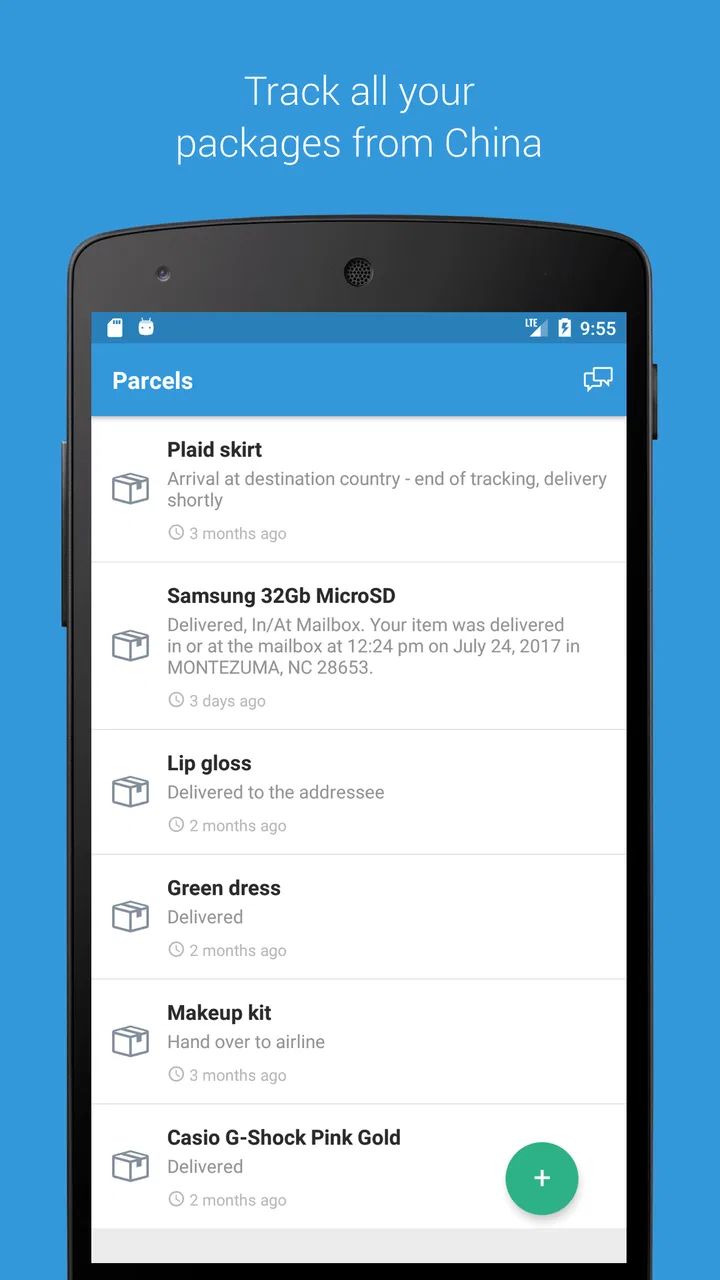
When I order from several marketplaces at once, the hardest part is often not buying anything; it is remembering where every parcel is supposed to be. Parcels: Track Online Orders is built for that exact problem. It is a free shopping app from ParcelsApp that brings package tracking into one place instead of making me move between eBay, Temu, Shein, Shopee, UPS, and FedEx.
After using it as a central tracking tool, I found the idea more useful than a collection of individual retailer apps. The experience is not perfect, and the average rating of 3.4 from around 23 thousand ratings suggests that some users run into frustrations, but the app still has a clear purpose. It is most valuable for people who regularly buy from different stores and want one overview of shipments rather than a separate notification trail for every order.
What Parcels changes about everyday package tracking
The main appeal is simple: I can treat deliveries as one ongoing list instead of a series of unrelated orders. That matters when a purchase passes through multiple stages, when several parcels arrive in the same week, or when the retailer’s own tracking page is difficult to find again. The app’s store summary specifically points to orders from eBay, Temu, Shein, Shopee, UPS, and FedEx, so its strength is its broad shopping focus rather than loyalty to one marketplace.
You May Also Like

 Blood Strike: 2.5 Anniversary
Blood Strike’s Loadouts Turn Every Drop Into a Tactical Gamble
A close look at Blood Strike’s custom loadouts: how fast access to signature weapons reshapes its battle royale rhythm, rewards preparation, and narrows the gap between fights.

 Pandora - Music & Podcasts
Pandora’s Music Is Easy to Start, but Harder to Recover
Pandora’s strength is its low-effort path from a seed to a station. Its weak spot is how much confidence it asks you to place in connection, setup, and quiet recovery.

 8 Ball Pool
 Is Built on Rivalries, Rematches, and Routine
A close look at the rivalries, rematches, shared routines, and unanswered safety questions that turn a quick pool match into a persistent mobile community.

 Samsung Music
’s Quiet Strength Is Playing What You Already Own
Its reach comes less from spectacle than from dependable access to a personal library. That simplicity is both the app’s strongest retention engine and its ceiling.

 AccuWeather: Weather Radar
AccuWeather Review: A Quick, Clear Forecast for Everyday Decisions
For everyday plans, the best forecast is the one you can understand quickly. AccuWeather makes rain timing, radar, and local conditions easy to act on, with a few trade-offs.

 Hill Climb Racing
Why Hill Climb Racing Still Turns Crashes Into One More Run
A tiny car, a bumpy hill and one more upgrade: Hill Climb Racing keeps resurfacing because its simple chaos makes every near-miss feel personal.
More From Our News Desk
View All News


A typical use case is a week in which I buy clothing from Shein, a small household item from Temu, and something from eBay. Normally, I would save three order emails, open several websites, and try to work out which shipment is moving and which one is delayed. With Parcels, I can use a single tracking view to check the current situation. That does not make the courier move faster, but it reduces the mental work involved in following the delivery.
I also like the distinction between tracking a purchase and managing the purchase itself. This is not a replacement for the store where I paid. If I need to change an address, request a refund, ask about a missing product, or contact a seller, I still need the relevant marketplace or courier. Parcels is better understood as a monitoring layer: it helps me see shipment progress, while the original seller remains responsible for the order details.
That distinction is important for new users. Someone expecting a complete shopping account, payment wallet, or customer-service hub may find the app limited. Someone who simply wants an easier way to watch parcels from different sources is much more likely to appreciate it.
Where the unified view is genuinely useful
The app makes the most sense when I have several deliveries moving at different speeds. A retailer may show an order as dispatched while the courier page contains the more useful movement history. A single tracking app can save time because I do not have to remember which carrier is handling each package before checking its status.
It is also handy for international shopping, where the seller’s original tracking page may become less helpful after the parcel changes hands. A consolidated view can make it easier to notice that a shipment is still progressing even when the wording changes between services. I would not treat every status as a guarantee, but the timeline gives me a practical place to begin when I want to know whether a parcel is moving.
Another less obvious use is delivery planning. If I am waiting for several items, I can check the group before leaving home or arranging a safe place for deliveries. This is more useful than opening each order separately, especially when a household has purchases from multiple people. The app does not remove the need to read the status carefully, but it can turn scattered information into a quicker daily check.
Getting started without losing control
My advice is to begin with one or two active shipments rather than adding every old order immediately. That makes it easier to understand how Parcels presents tracking events and whether the information is clear enough for my needs. Once the workflow feels comfortable, I can add more shipments and use the app as a regular delivery dashboard.
I would also keep the original order confirmation emails until the package arrives. A tracking app is convenient, but the retailer’s message may contain the order number, product description, return conditions, or seller contact details that are not central to shipment monitoring. Keeping both sources gives me a safer workflow: Parcels for quick progress checks, and the original purchase record for anything involving money or support.
When a status appears unchanged, I try not to assume immediately that the parcel is lost. Tracking updates can pause while a shipment is being transferred, processed, or waiting for the next scan. The app is useful for showing the latest available event, but I still use the carrier or seller when a delivery becomes genuinely overdue or the status conflicts with what I was told at checkout.
Trust starts with visible choices
For a package-tracking app, trust is not only about whether the timeline looks polished. The more important question is how comfortable I am connecting shipment information to a third-party tracking service. I pay attention to the choices shown during setup, the account controls available to me, and whether the app clearly separates tracking from actions such as buying or contacting a seller.
ParcelsApp is the named developer, and the app is available free of charge, with optional in-app purchases listed from $0.99 to $5.99 per item. That gives me a low-risk way to try the core experience before deciding whether any paid option is worthwhile. I would still read each purchase screen carefully rather than assuming that every useful tracking function is included at no cost.
The app is rated for Everyone, which makes it approachable for a broad household audience. That rating should not be confused with a promise that every user will find the service equally suitable. Adults managing frequent online orders may get more value from it than someone who only receives an occasional parcel and already has a reliable courier app.
One practical trust habit is to review the app’s visible settings before importing a large number of shipments. I want to know what information I am choosing to add, whether I can remove old tracking entries, and how much control I have over notifications. Those are user decisions worth making deliberately, especially when order information can reveal what I bought and when I expect it to arrive.
Data-sensitive moments deserve extra attention
Tracking information may look harmless, but it can still be sensitive in everyday life. A parcel record can expose a delivery address, a seller, an expected arrival, or the name of a product. I therefore treat package tracking differently from checking a generic weather forecast. Before adding an order, I consider whether I need that shipment in the app and whether I am comfortable keeping it there.
This is particularly relevant on shared phones or family devices. A unified list is convenient, but it can also make several people’s purchases visible in one place. I would avoid adding another person’s parcel without their agreement, and I would clean up completed deliveries when I no longer need them. That is not a criticism unique to Parcels; it is a sensible way to reduce unnecessary order history in any tracking service.
Notifications are another moment where convenience and privacy meet. A delivery alert can be helpful when I am waiting for a time-sensitive item, but it may also reveal shopping activity on a lock screen. I prefer to choose notification behavior based on who can see my phone and how private the order is. If a shipment is sensitive, checking the app manually may be better than displaying detailed alerts.
I also avoid treating a tracking status as proof that a parcel is physically in a particular place unless the event is clear. Tracking systems depend on scans and updates, and a displayed event is not the same as a live view of the package. When the stakes are high, such as a valuable item or a deadline, I use the shipment information as a guide and contact the carrier or seller when necessary.
Account controls and the value of user agency
The best tracking workflow is one I can adjust easily. I want to decide which shipments appear, which alerts matter, and when an old parcel should disappear from my routine. Parcels is most comfortable when I use it as a selective dashboard rather than an automatic archive of every purchase I have ever made.
That selective approach also helps with accuracy. If I add duplicate tracking entries from a retailer and a courier, the list can become confusing even when the information itself is correct. I recommend checking the tracking number before adding a shipment and removing duplicates if the same parcel appears more than once. This small bit of housekeeping makes the overview much easier to trust.
There is a useful trade-off here. Centralizing deliveries saves time, but it creates one place I need to maintain. A retailer’s own app may know the order context more naturally, while a courier’s app may be better for delivery-specific instructions. Parcels is strongest between those two extremes: it gives me a wider view across shopping services, but it may not replace the specialized controls offered by the original seller or carrier.
I would also be cautious about relying on automation without checking the result. If an order is not recognized as expected, or if a status seems stale, I would compare the tracking number with the original email and then check the carrier directly. This is one of the app’s important limitations: a central interface is only as useful as the shipment information it receives and displays.
How it compares with retailer and courier alternatives
Retailer apps are usually better when I need the full order journey. They can put product details, payment records, returns, seller messages, and delivery updates in one account. If most of my shopping happens through one marketplace, staying inside that marketplace may be simpler than adding another tracking tool.
Courier apps have a different advantage. When I already know that UPS or FedEx is handling a delivery, the carrier’s own service may offer more direct delivery management. I would choose that route when I need carrier-specific actions rather than a general overview. Parcels is more appealing when I have several carriers and retailers and want to compare their progress in one place.
Email notifications are the simplest alternative and may be enough for light shoppers. They require no extra tracking habit, but they can become difficult to scan when many stores send separate updates. Parcels earns its place when the problem is not a lack of information but information scattered across too many inbox messages and websites.
Dedicated tracking services can also differ in how much account setup or paid functionality they emphasize. I would compare the actual controls and notification experience instead of choosing only by the number of supported stores. For me, the deciding factor is whether the app makes daily checking faster without making order information harder to manage.
Performance expectations and practical limitations
Parcels is currently at version 3.0.10 and requires Android 8.0 or later. That makes compatibility an important first check for anyone using an older phone. On a supported device, the basic concept is easy to understand, but no tracking app can guarantee perfectly synchronized updates from every retailer and courier.
The app has passed one million installs, so it is clearly used by a substantial audience, yet its store rating remains mixed. I read that combination as a reason to evaluate it personally rather than assuming popularity equals reliability. The free entry point helps: I can test it with a real shipment and see whether its updates are timely and understandable before building my entire delivery routine around it.
The in-app purchase range also means I would pay attention to what is offered at each purchase prompt. Someone who only needs occasional tracking may not need to spend anything. A frequent online shopper may consider an optional purchase if it improves a workflow they use constantly, but I would make that decision based on visible value, not on the assumption that paid features automatically solve every tracking problem.
Another limitation is emotional rather than technical: a single list can make delivery delays feel more prominent. I may check it too often when several parcels are in transit. A healthier routine is to check at useful points, such as before planning to be home for a delivery, instead of repeatedly refreshing a status that may not change until the next scan.
Who should use it, and who should skip it
I recommend Parcels to people who shop across multiple online stores, receive international deliveries, or manage several household shipments at once. It is especially practical when the main annoyance is switching between eBay, Temu, Shein, Shopee, UPS, and FedEx to answer one basic question: what is happening with my packages?
I would be more cautious recommending it to someone who buys rarely, uses one retailer almost exclusively, or needs advanced delivery changes from a particular courier. In those cases, the store or carrier’s own app may be more direct. I would also skip a centralized tracker if I am uncomfortable placing order details into an additional service, or if I do not want to manage notification and cleanup choices.
For privacy-conscious users, the right approach is not necessarily to reject the app immediately. It is to use it selectively: add only active shipments, review the visible controls, avoid unnecessary sharing, manage lock-screen alerts, and remove records when they stop being useful. That keeps the convenience while giving me more control over what remains in the tracking list.
My cautious verdict after using the tracking workflow
Parcels: Track Online Orders solves a real, specific problem: scattered delivery information. I find it most convincing as a neutral overview for people who buy from several services, not as a replacement for retailer accounts or courier tools. Its value comes from reducing repeated searches, while its limits come from depending on shipment updates and offering less order context than the original seller.
The free price makes trying it straightforward, and the Everyone age rating makes it accessible for general household use. Still, I would begin carefully, check the controls that are visible during setup, and test one active parcel before adding a long history of purchases. That approach also answers the most important practical question: whether the app fits my own shopping habits rather than merely looking useful in theory.
My final recommendation is positive but measured. If I regularly juggle deliveries from different marketplaces and carriers, I would keep Parcels installed because the consolidated view saves real time. If I need refunds, address changes, detailed courier instructions, or complete purchase records, I would continue using the original retailer or carrier alongside it. The app is worth trying when organization is the problem, but user control should remain part of the solution.
FAQs for Parcels: Track Online Orders
01What platforms does Parcels: Track Online Orders support?
Parcels: Track Online Orders is available for both Android and iOS devices. It offers a seamless experience on smartphones and tablets, ensuring you can track your packages on the go. The app integrates with multiple carriers worldwide, providing comprehensive tracking capabilities regardless of your device's operating system.
02Can I track packages from multiple carriers using Parcels?
Yes, Parcels: Track Online Orders supports tracking from a wide variety of carriers globally, including popular ones like FedEx, UPS, DHL, and USPS. This capability ensures that users can monitor all their shipments from different carriers in one place, making the tracking process more efficient and organized.
03How accurate is the tracking information provided by Parcels?
The tracking information in Parcels is highly accurate, as it directly integrates with the carriers' tracking systems. Users receive real-time updates, including detailed status changes and estimated delivery times. This ensures you are always informed about the current status and location of your packages, minimizing anxiety about delivery dates.
04Is it possible to receive notifications for tracking updates?
Absolutely, Parcels: Track Online Orders offers push notifications to keep you updated on your package's status. You can customize these notifications to alert you on significant events like shipment departure, arrival at a facility, or out-for-delivery status, ensuring you never miss an important update.
05Does Parcels: Track Online Orders require a subscription or payment?
Parcels: Track Online Orders offers a free version with essential features for tracking your packages. However, there may be a premium version available that provides additional features such as more detailed tracking insights, ad-free experience, or advanced notification options. Always check the app's store listing for the most current details on pricing and features.
Pros
- User-friendly interface
- easy navigation.
- Supports tracking from multiple couriers.
- Real-time updates on package status.
- Customizable notifications for deliveries.
- Consolidates all orders in one place.
Cons
- No offline tracking feature available.
- Ad-supported free version can be intrusive.
- Limited functionality without premium.
- Some couriers update info slowly.
- Occasional sync issues with certain orders.

Parcels: Track Online Orders
Gallery